

Day 13 - Create self-sync in Incorta
- Suzie Ji

- Mar 6, 2021
- 1 min read
Updated: Apr 14, 2021

Create self-sync-making teachers and students Incorta users.
Allow both teachers and students to log in to Incorta.
Find the table where the user email is located.
Because Incorta login requires an email.
Step 1:
In PostgreSQL, canvas_development, filters out tables with user_id, and columns are greater than 10. (Because there are 12 teachers in total)
$ select 'select '''||table_name||''' as table_name, count(*) from '||table_name||' having count(*) > 10 union all' from information_schema.columns where column_name = 'user_id'; 


Step 2:
There are 22 tables selected, and the email of the teacher I want is in one of the tables.

Finally, the teacher’s email was found in the communication_channels table.
Step 3:
Use the schema wizard to add the communication_channels table in Incorta.


Note: The join of the newly added table will not automatically join, you need to find the join relationship by yourself to join
Step 4:
Add Join.

Note: Add Filters, column: path_type = email.
Step 5:
Find the login information needed for self sync.
$ cd /incorta/IncortaAnalytics/IncortaNode/bin
$ cat self_sync.properties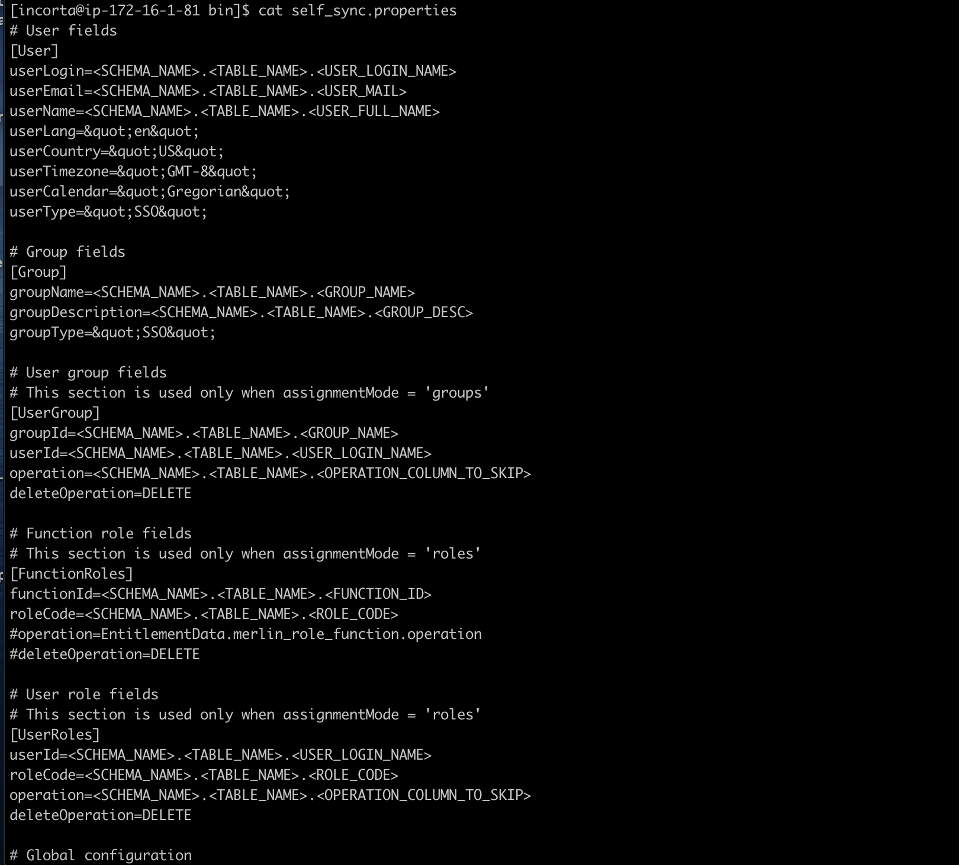
So we need three insights, namely User, Group, and UserGroup.
Step 6:
Do Dashboard.
User:

Group:

UserGroup:

Step 7:
Add three dashboards to the table of the schema.


Comments